









Reorder contact lenses in just one click
Place an order with your account today, and reorder your contact lenses in just one click next time.
{0} Once you've copied it, click the button below or follow the link in the email. If you don't receive it, check your spam folder or Help Center for further assistance.
Note: Changing location will reset your eye exam information.
Don't change, return to page.Camera + Audio
Choosing the right eyewear can be a complex process. This guide will help you find your best match. All eyewear has different functional and aesthetic characteristics, so we use three pieces of information to determine the following:
If you need help finding the right size, try our Size Advisor:
The size of the frame counts as functional information, which is defined by one principal number:
This information defines the following sizes:
| Hinge to hinge (in) | Hinge to hinge (mm) | Size |
|---|---|---|
| <4.8 | <121 | XXS |
| 4.8-4.9 | 121-124 | XS |
| 4.9-5 | 125-128 | S |
| 5.1-5.2 | 129-132 | M |
| 5.3-5.4 | 133-136 | L |
| 5.4-5.5 | 137-140 | XL |
| >5.5 | >>140 | XXL |
Try our Size Advisor and we'll measure it for you! Or, you can use a ruler to measure the hinge-to-hinge distance of a pair of glasses that you already own.
If you already own a pair of glasses, you’ll find numbers engraved on the inside of the eyewear temple. These numbers indicate the following:
The first number is the model name, followed by the lens width and bridge width.
There is usually a third number that represents the temple length, or the measurement of the "arms" of your frame.
Sometimes there is a fourth number that indicates the lens height.
Each of these numbers is measured in mm.
Fitting is aesthethical information which determines the amount of face coverage for a given size.
The frames shown in the image are all the same size but each one has a different fit.
The three possible fittings are:
The four bridge and nosepads options are:
2-Day Delivery
Receive prescription eyewear in 2 business days
$25.00
2-Day Delivery is currently unavailable for this product.
See other frames eligible(per product)


OAKLEY
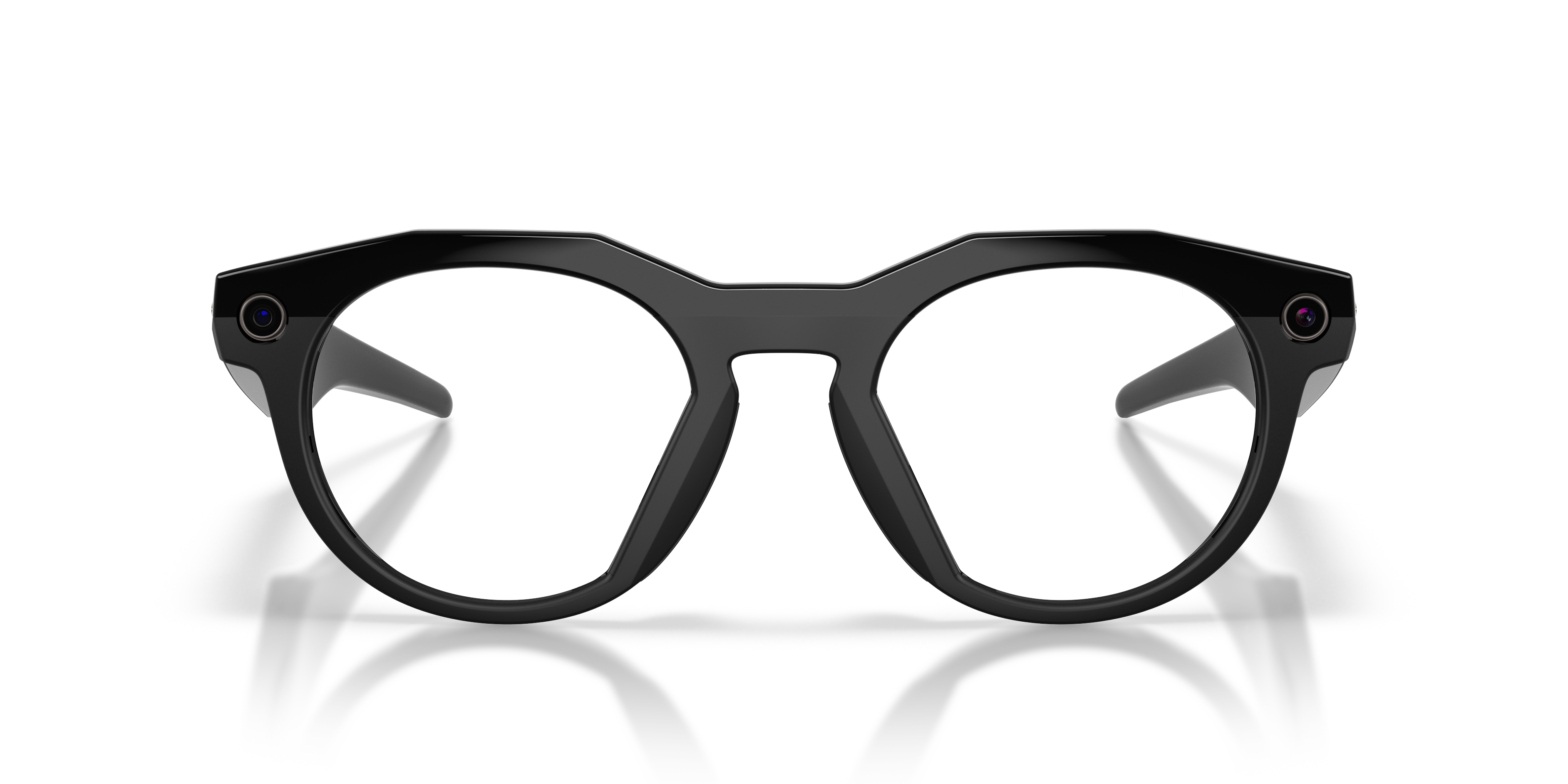
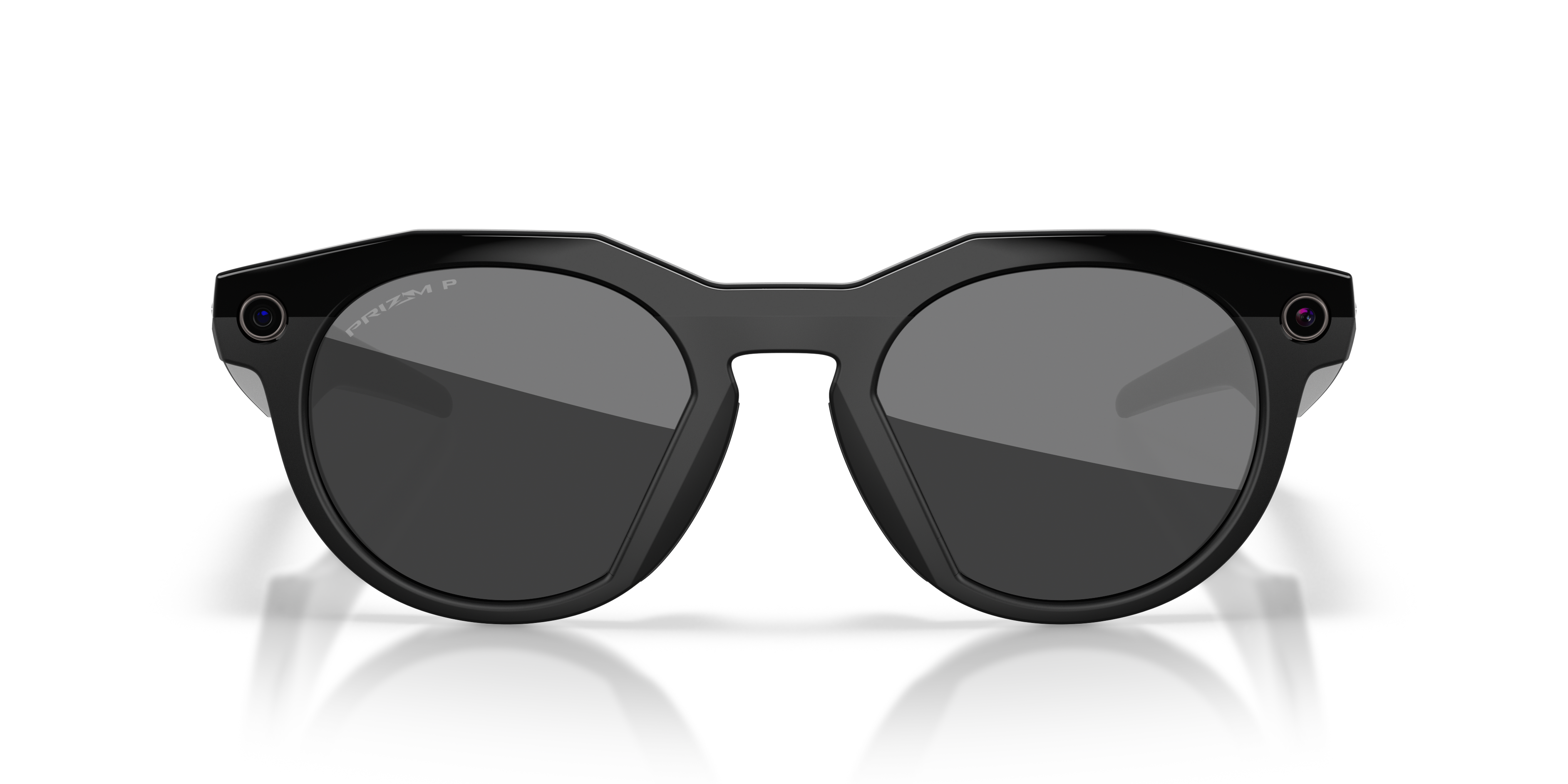
Oakley Meta HSTN
Pay over time with Affirm, Cash App Afterpay or Klarna. Learn More
Choose your vision need and add your prescription.
Select lens type and thickness, then add specialized treatments.
Enjoy through aftercare with our 30 day happiness guarantee.
Learn about the things you see around you
Ask to translate a sign
Get outfit inspiration
Send voice messages
Listen to your favorite music or podcast
Capture things you want to remember
Frame
Material: Bio-Based O Matter/Injected
Shape: Round
Color: Warm Grey
Product measurements
Size: 51 - 22 One size only
Lens width: 51 mm / 2.01 in
Bridge width: 22 mm / 0.87 in
Temple length: 145 mm / 5.71 in
Lens
Treatment: Prizm
Color: Prizm Ruby
Audio
Speaker: 2 Custom-Built Speaker Open Ear
Microphone: Custom 5 Mic Array
Controls
Touch control
Voice control
Assistant type: Meta AI
Connectivity
Wi-Fi: Wi-Fi 6E
Bluetooth: Bluetooth 5.3
OS compatibility IOS 14.4/ANDROID 10 MINIMUM
Camera
Image acquisition: 3024x4032px
Video acquisition: Up To 2203x2938px At 30 Fps
Battery
Battery: Rechargeable 8 Hours Single Charge
Memory: 32GB Flash Storage 500+ Photos Or 100+ 30s Videos


Tap and hold your mouse on the image to see it in Prizm
Prizm™
Tune in colors and tune out distractions with Prizm™ Lens Technology that enhances color and contrast to reveal all the details that make your jaw hit the floor.
Charging case
Cleaning cloth
User guide
Oakley Meta HSTN frames are a perfect blend of style and performance. The round shape and polished warm grey O Matter™ frame material offer a timeless look, while the Prizm™ ruby lenses provide excellent clarity and contrast. These glasses are not just stylish but also versatile, making them ideal for everyday wear.
A fully charged pair of Oakley Meta HSTN glasses can last up to 5 hours of continuous audio playback, 8 hours of typical use and up to 19 hours on standby. The number of hours varies according to how you’re using the features.
You can ask Meta AI questions about what you're looking at by saying 'Hey Meta...' and then asking for more information about what you’re looking at. You can say 'Hey Meta, look and...' to ask Meta AI to take a photo to use in its response.
You can also take a photo, either using your voice or by using the capture button, and within a few seconds say 'Hey Meta…' to ask a question about the photo.
You could ask Meta AI for the English translation of a sign you’re looking at in Italian, for the name of a houseplant you’re looking at, or to write a funny caption for the photo you just took of a dog chasing its own tail. There are lots of things Meta AI can do, and we’re working on expanding that list over time.
How does it work?
When you ask Meta AI questions about what you’re looking at, your glasses will send a photo to Meta’s cloud to be processed with AI. After processing, Meta AI will deliver an audio response on your glasses, and you will be able to review your request, the image, and the response in Meta AI. All photos processed with AI are stored and used to improve Meta products, and will be used to train Meta’s AI with help from trained reviewers. Processing with AI includes the contents of your photos, like objects and text. This information will be collected, used, and retained in accordance with Meta’s Privacy Policy.To turn on this feature:
1. From the Meta AI app, tap the gear symbol in the bottom right.
2. Swipe down and tap Meta AI, or select the device you want to manage settings for then tap Meta AI.
3. Tap the toggles next to Meta AI and Camera use to turn this feature on.
4. Follow the on-screen prompts to turn on any necessary features if they’re not already enabled.
How to ask Meta AI about what you see
Here’s just a few examples of what you can do when using your camera with Meta AI.
- Ask about the world around you -
'Hey Meta, describe what I'm seeing.'
'Hey Meta', tell me about this monument.
'Hey Meta', translate this text into English.
'Hey Meta', summarize this.
- Take actions on text around you -
You can point at text and say things like:
'Hey Meta, call this phone number.'
'Hey Meta, message this phone number.'
'Hey Meta, scan this QR code.'
- Get gardening tips -
'Hey Meta, how much water do these flowers need?'
- Express yourself -
'Hey Meta, describe this landscape in an inspiring way.'
'Hey Meta, write a funny poem about this dog.'
Keep in mind, you can also take a picture, either by voice or by using the capture button, and within a few seconds say 'Hey Meta…' to ask questions about the world around you.
Your Oakley Meta glasses come with the following accessories and user manuals:
- Charging case
- Quick Start Guide
- Safety & Warranty Guide (also downloadable here)
- Instructions for ordering Prescription lenses
- Cleaning cloth
Additional privacy or data information is provided in the Meta AI Help Center
To operate Oakley Meta glasses you need to connect your glasses with a smart phone and the Meta AI app. Here’s the complete checklist:
- Smart phone with a recently released operating system: Android 10 and above (with location services enabled) or iOS 14.4 and above. See complete list of supported phones here
- Wireless internet access
- USB-C charging plug (if charging from a power outlet and not directly from a USB point)
- A valid Meta account
- Meta AI app (downloadable from your App store here or by scanning this QR code)